
 WiFi Signal Pro

WiFi Signal Pro
Professional Wi-Fi monitoring and diagnostics for your Mac, right from the menu bar.
7-day free trial · Requires macOS 15 or later
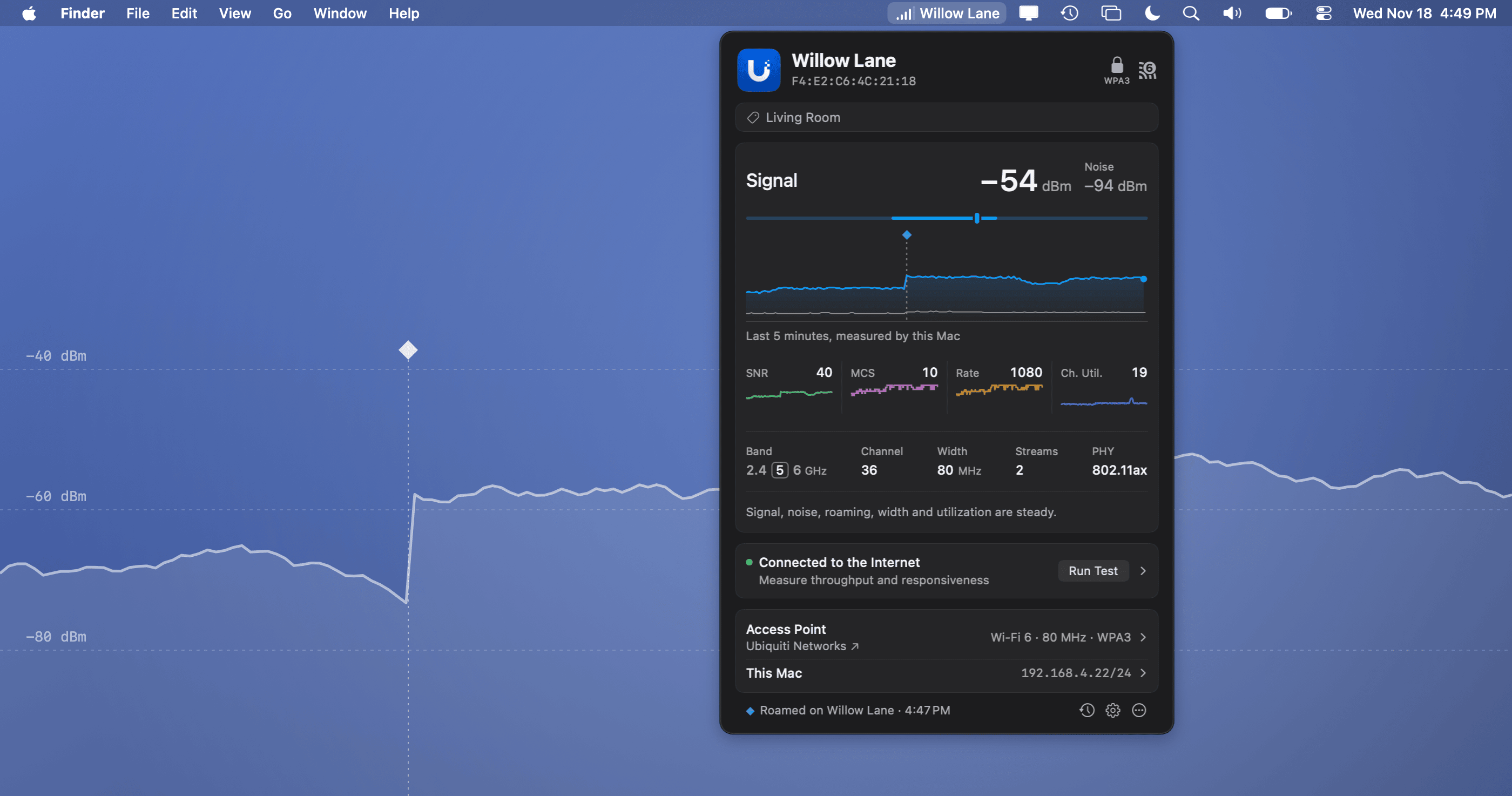
A must-have tool for every WLAN professional
Real-time measurements, connection diagnostics, history and Internet testing.
Live measurements
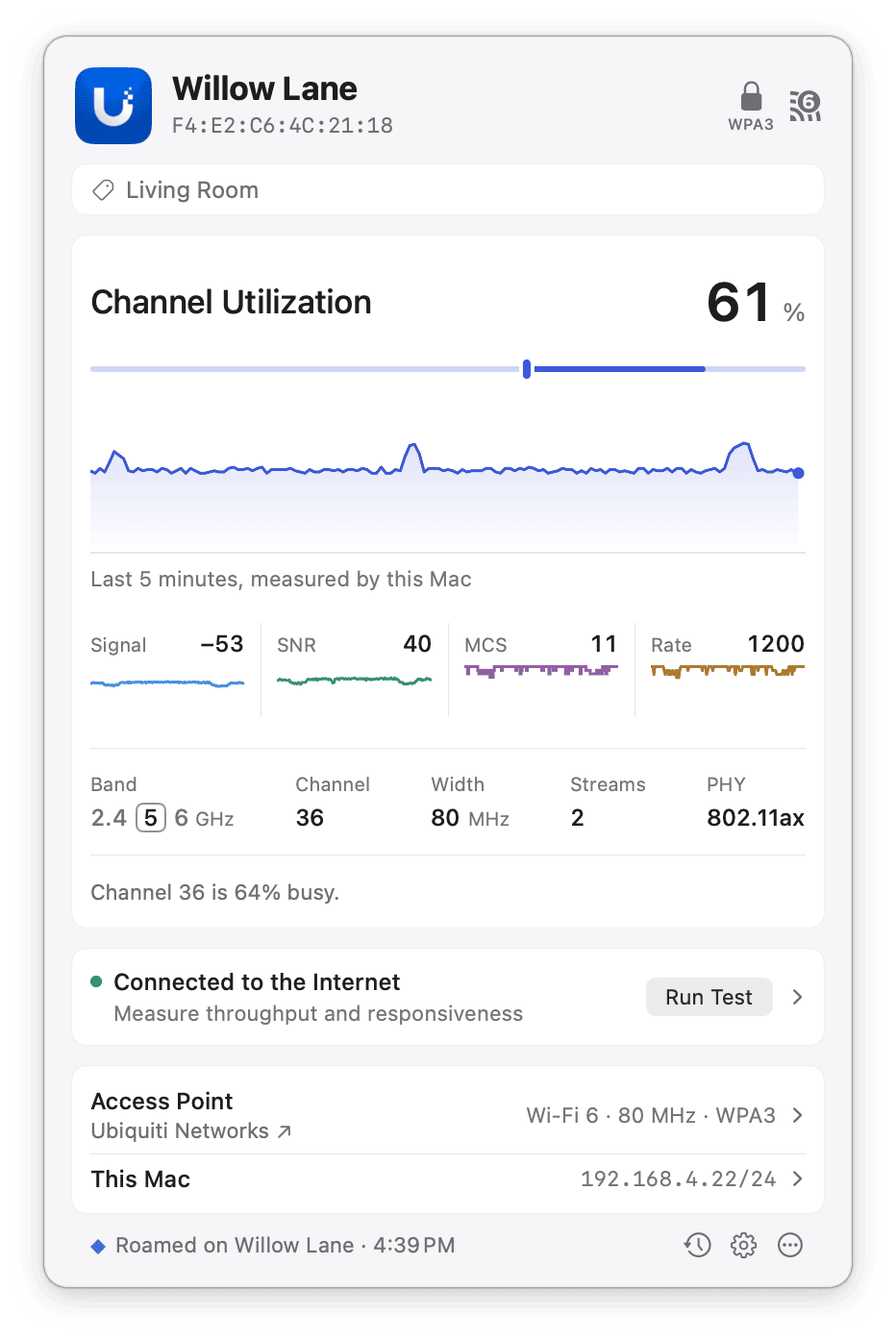
Chart signal, noise, SNR, MCS index, transmit rate and channel utilization as they change, with roams marked.
Connection summary
Spot signal drops, rising noise, repeated or weaker roams, a busy channel, and width or country mismatches.
Connection history
Review up to 14 days of collected measurements and events to investigate problems after they occur.
LIVE CHARTS
See every measurement as it happens
Live charts show signal strength and noise, SNR, MCS index, transmit rate and channel utilization as they change. Monitoring is passive, so it doesn’t interrupt calls or streaming.
ACCESS POINT DETAILS
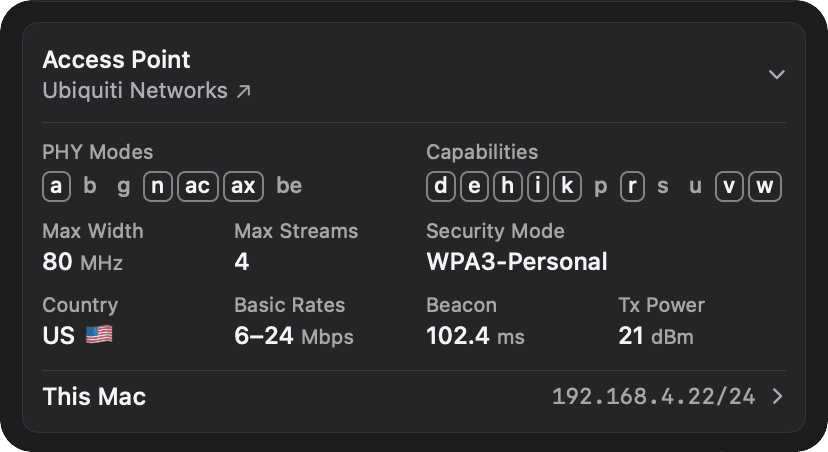
Know exactly which access point you’re on
See who you’re connected to and what the access point advertises, next to your Mac’s own network settings. Label your access points, and you’ll always know which one you’re on.
WI-FI OR INTERNET?
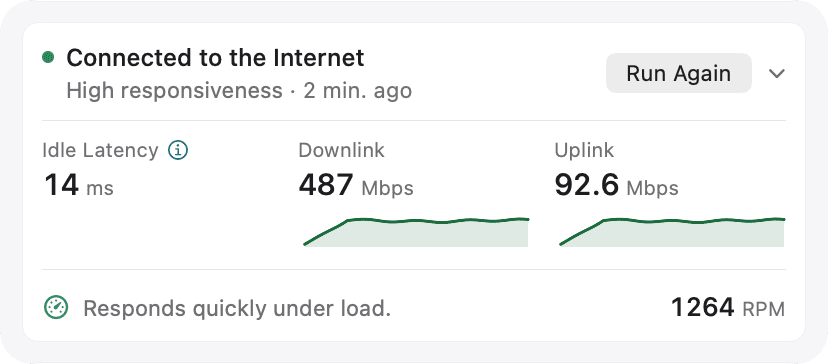
Tell a Wi-Fi problem from an Internet problem
Built-in checks show whether the trouble is your Wi-Fi or further upstream, and what failed: DNS, a captive portal, or the Internet connection itself. When you need numbers, run an Internet test on demand.
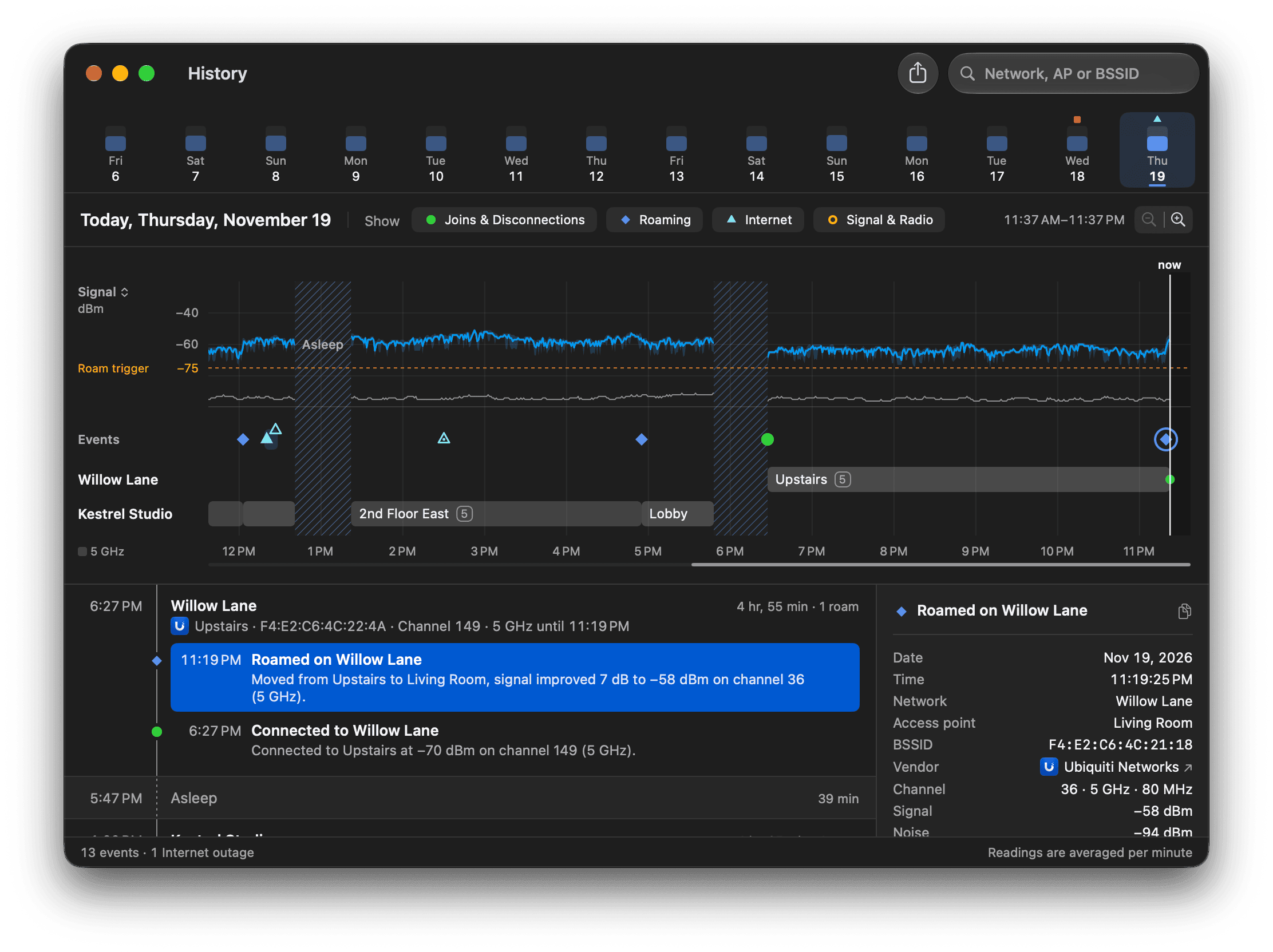
HISTORY
Up to 14 Days of Connection History
Review Wi-Fi measurements and connection events collected over the past 14 days. Investigate roaming, signal changes, disconnections, and other connectivity issues, even after they’ve occurred. Data is recorded while your Mac is awake and WiFi Signal Pro is running.