
DISCOVER • ANALYZE • TROUBLESHOOT
See every Wi-Fi network clearly.
Scan nearby networks, inspect channels and signal strength, and pinpoint what’s causing your Wi-Fi problems — faster than guessing.
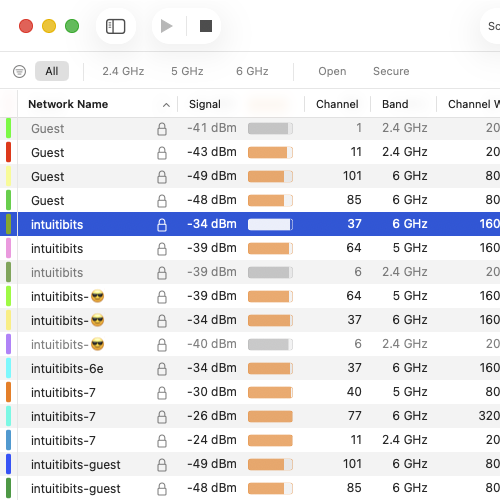
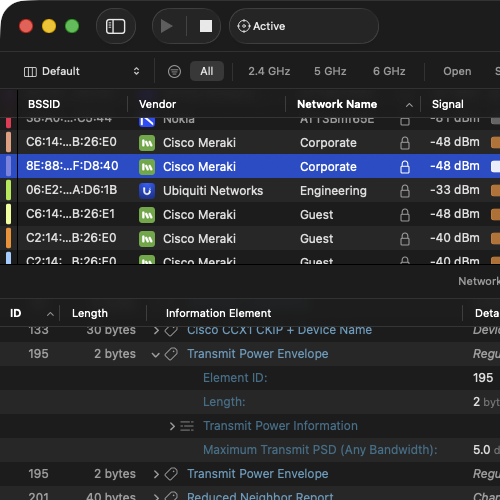
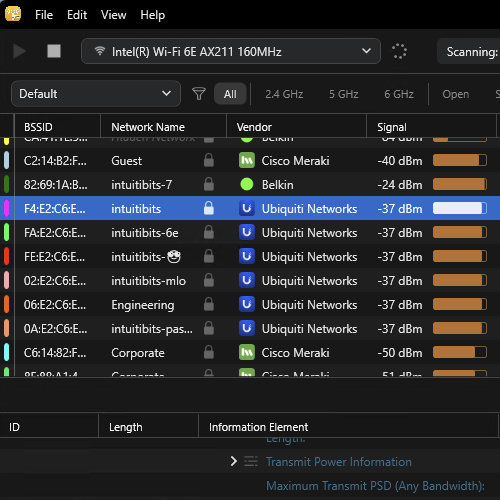
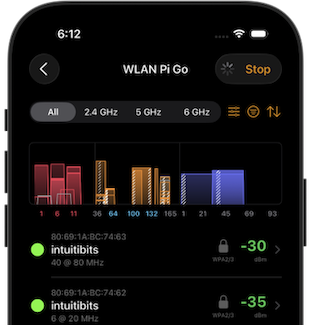
The Details, Side by Side
All four apps share the same approach to Wi-Fi analysis — here’s how they compare.
Frequently Asked Questions
Here are answers to some of the questions we hear most often.
What’s the difference between WiFi Explorer and WiFi Explorer Pro 3?
WiFi Explorer is ideal for discovering nearby wireless networks and troubleshooting common Wi-Fi issues. WiFi Explorer Pro 3 adds advanced WLAN analysis, deployment validation, and remote scanning capabilities for Wi-Fi professionals.
Do I need WiFi Explorer Pro 3?
If you need advanced analysis, work with enterprise Wi-Fi networks, or validate wireless deployments, WiFi Explorer Pro 3 is the better choice. Otherwise, WiFi Explorer includes everything you need to discover nearby networks and troubleshoot everyday Wi-Fi issues.
Can I analyze 6 GHz and Wi-Fi 7 networks?
Yes. All WiFi Explorer applications support the latest Wi-Fi standards, subject to the capabilities of your device’s Wi-Fi hardware and operating system.
Can I use WiFi Explorer with an external Wi-Fi adapter?
WiFi Explorer and WiFi Explorer Pro 3 use your Mac’s built-in Wi-Fi hardware. For remote scanning using compatible external Wi-Fi sensors, use WiFi Explorer Pro 3, WiFi Explorer Pro for Windows, or WiFi Explorer Pi.
Why does WiFi Explorer Pi require an external Wi-Fi sensor?
Apple does not provide apps on iOS with access to Wi-Fi information. WiFi Explorer Pi works with compatible external Wi-Fi sensors, including WLAN Pi Go, Hamina Clip, and Oscium Nomad, to bring professional Wi-Fi analysis to your iPhone or iPad.
Can I try the applications before purchasing?
Yes. Free trials are available for the desktop applications, so you can evaluate them before purchasing.