Everything you need to analyze and troubleshoot Wi-Fi.

Professional tools that help you solve Wi-Fi problems faster.

Analyze Wi-Fi networks

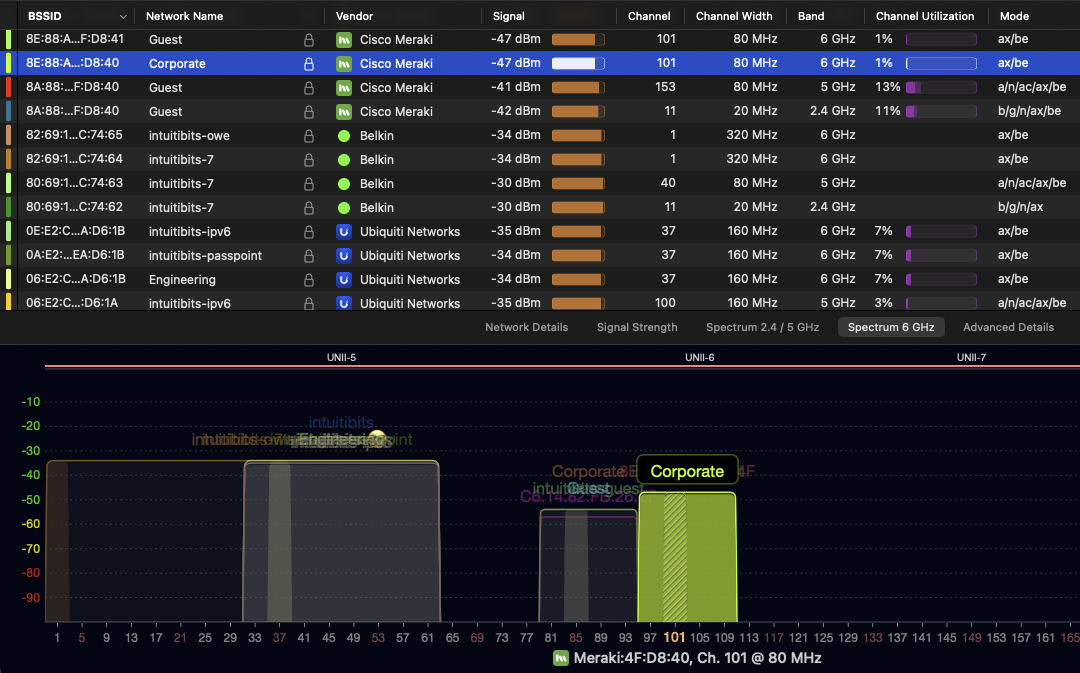
Everything starts with WiFi Explorer. Gain a complete view of your Wi-Fi environment by scanning nearby networks, inspecting channels, signal strength, security, and utilization to troubleshoot issues, validate deployments, and optimize performance.
  • Scan nearby Wi-Fi networks
  • Analyze channels and security
  • Validate Wi-Fi deployments
  • Optimize Wi-Fi performance
WiFi Explorer displaying nearby Wi-Fi networks with signal strength, channels, security, channel utilization, and a live 6 GHz spectrum graph for wireless network analysis.
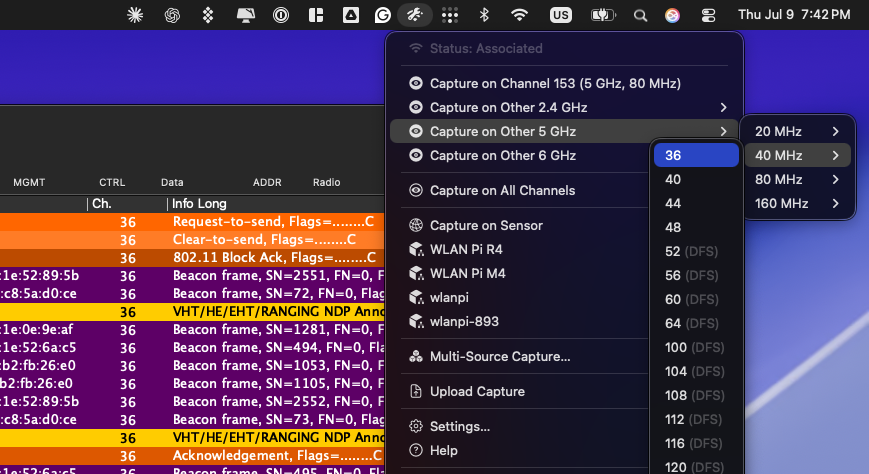
Airtool 2 menu showing packet capture options by band, channel, and channel width alongside a live Wireshark capture for 802.11 packet analysis.

Capture Wi-Fi packets

Capture 802.11 packets in monitor mode for packet-level troubleshooting, protocol analysis, interoperability testing, and validation. Capture on your Mac with Airtool 2 or remotely from your iPhone or iPad using Airtool Pi and a compatible Wi-Fi sensor.

  • Capture 802.11 packets in just a few clicks

  • Capture locally or remotely

  • Automatic Wireshark integration

  • Flexible capture options

Monitor your Wi-Fi connection

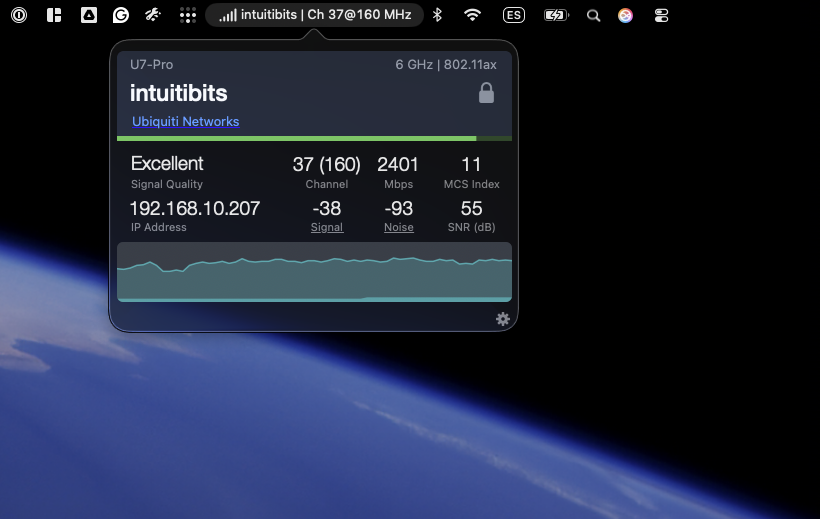
Keep an eye on your Wi-Fi connection with WiFi Signal. Monitor signal strength, channel information, PHY rates, and connection quality in real time to validate coverage, troubleshoot roaming issues, and optimize Wi-Fi performance.
  • Monitor signal strength
  • Track PHY rates
  • View channel information
  • Validate Wi-Fi coverage
WiFi Signal displaying real-time Wi-Fi connection information, including signal quality, channel, PHY rate, MCS index, signal and noise levels, SNR, and live signal history.

Explore Our Products

Professional tools to analyze, capture, and monitor Wi-Fi.

WiFi Explorer

Scan and analyze Wi-Fi networks

Get a complete view of your Wi-Fi environment. Scan nearby networks, inspect channels, security, and utilization to troubleshoot issues and optimize performance.

Airtool

Capture Wi-Fi packets

Capture 802.11 packets for in-depth troubleshooting, protocol analysis, interoperability testing, and network validation.

WiFi Signal

Monitor your Wi-Fi connection

Monitor signal strength, PHY rates, channel information, and connection quality in real time to validate coverage, troubleshoot roaming, and optimize Wi-Fi performance.

Why Professionals Choose Intuitibits

Purpose-built tools for analyzing, troubleshooting, and optimizing Wi-Fi networks.

Professional-Grade Tools

Designed for engineers, consultants, IT teams, and educators.

Developing Wi-Fi Tools Since 2009

Over 15 years of experience developing professional Wi-Fi software.

Continuously Updated

Regular updates for the latest Wi-Fi standards, operating systems, and hardware.

Other Tools

Additional utilities for networking professionals.

Transfer

Easily transfer firmware, configurations, logs, and files across your network.

Ping Analyzer

Measure latency, jitter, packet loss, and network quality with real-time ping diagnostics.